Siksai Taigi熟悉台語

Free on iPhone · Taiwanese onlyiPhone 免費下載 · 專為台語設計

A flashcard app made for Taiwanese, and nothing else. 專門學台語的單字卡 App

I'm 元元 Yuanyuan, a French software engineer living in Taiwan. I spent about ten months of evenings and weekends building the tool I wished I had when I started learning 台語. It's called Siksai Taigi, from sik-sāi 熟似, "to be familiar with". It's free, it needs no account, and today anyone can download it.

我是元元,一個住在台灣的法國軟體工程師。我花了大約十個月的晚上和週末,做出了我剛開始學台語時最想要的工具。它叫做 Siksai Taigi(熟悉台語)。「熟似 sik-sāi」在台語裡是「認識、熟悉」的意思。它完全免費,也不用註冊帳號,今天起大家都可以下載。

Built-in pronunciation audioTâi-lô and POJ34 native languages to choose fromWorks offline 內建發音音檔臺羅和白話字34 種母語可以選不用網路也能用
Tap the card to flip it, like in the app.點一下卡片翻面,就像在 App 裡一樣。

Chapter one · Why this exists第一章 · 為什麼要做這個 App

A foreigner, a teacher, and a pile of index cards一個外國人、一位老師,還有一堆單字卡

I've lived in Taiwan for many years. People here have been kinder to me than I can ever repay: neighbours, market vendors, strangers who walked me three streets to find a bus stop. For a long time I wondered what someone like me could give back to this island.

The answer came from a sad pattern I kept seeing. Many Taiwanese friends my age, and plenty of kids, can no longer really speak the language of their 阿公 and 阿嬤. They understand a bit and can answer "hó", but a whole conversation in Taiwanese is out of reach. For them it's the language of family dinners and the old neighbourhood, and it's slowly slipping away.

So I started learning it myself. I booked a Taiwanese teacher and had class every week. Very quickly I found the real bottleneck: the teacher explained grammar and pronunciation well, but I didn't know enough words. You can't follow the auntie at the vegetable stall if half the nouns are unknown to you. What decides whether you understand is vocabulary, much more than grammar.

For Mandarin, Japanese or Korean the fix is easy: download a flashcard app, grab a shared deck, done. For Taiwanese I couldn't find anything that did the job properly. The big language apps don't teach it. General flashcard apps don't know what Tâi-lô is, and they can't pronounce tsia̍h-pn̄g. Text-to-speech voices mostly read the Hanzi in Mandarin, which is worse than nothing. As far as I could find, no spaced-repetition app was built for Taiwanese, with real Taiwanese audio.

I'm a software engineer, so I did the obvious thing and wrote one.

"Learning a language gets stuck on vocabulary. Once your word count takes off, you catch the key words the moment the auntie at the market speaks." 學語言最大的瓶頸通常是「單字量不夠」。

The routine that worked

My method was simple, and I still follow it. Once a week I have a class with my Taiwanese teacher. After class, every new word I met goes into the app as a card. Then every day, often on the MRT or while waiting for noodles, I spend a few minutes on whatever the app says is due. That's it. The app decides what to show me and when, and I trust it.

In about six months I went from understanding almost nothing to following most of an everyday conversation, roughly seventy to eighty percent. I can joke with the grandpas and grandmas at the roadside stalls now. Over ten months I've gone past a thousand everyday Taiwanese words. The classes gave me structure and the flashcards gave me the vocabulary. You need both.

Why I'm giving it away

Siksai Taigi is free, and it will stay free. There's no subscription, no ads, no account, no tracking. It's my small way of saying thank you to Taiwan, and of encouraging young Taiwanese to take back the language of their family. (The optional AI features work with your own AI key. More on that in chapter seven.)

It's also for people much further away. On my YouTube channel I get many comments from overseas Taiwanese in the United States, the UK and Japan. People who've lived abroad for decades tell me the thing they miss most is a sentence their grandmother used to say, and that their own children don't understand a word of it anymore. A language is a root. It connects you to your family and to a piece of land. Whether you're in London or New York, ten thousand kilometres from Tainan, you should be able to open your phone and start getting it back.

我在台灣住了很多年。這裡的人對我非常好:鄰居、菜市場的阿姨,還有願意陪我走三條街去找公車站的陌生人。我一直在想,像我這樣的人,可以怎麼回報這座島。

後來我發現一件讓我很難過的事。很多跟我同年紀的台灣朋友,還有很多小朋友,已經不太會講阿公阿嬤的話了。他們聽得懂一點,也會回一句「hó」,可是要用台語聊天就很難。對他們來說,台語是家裡吃飯時、老家巷子裡的語言,而它正在慢慢消失。

所以我自己開始學台語。我找了一位台語老師,每個禮拜上一次課。很快我就發現最大的問題:老師把文法和發音教得很好,可是我會的單字太少了。如果菜市場阿姨講的話,有一半的詞你都不認識,你就跟不上。能不能聽懂,關鍵是單字量,不是文法。

學華語、日文或韓文的時候很簡單:下載一個單字卡 App,找一副別人做好的卡片,就可以開始了。但是學台語,我找不到真正好用的工具。大型語言學習 App 沒有教台語。一般的單字卡 App 不認識臺羅,也不會唸 tsia̍h-pn̄g。很多電腦語音會用華語去唸漢字,這比沒有聲音還糟。就我找到的來說,網路上還沒有一個專門為台語設計、又有真正台語錄音的間隔重複(SRS)App。

我是軟體工程師,所以我就自己做了一個。

「學語言最大的瓶頸通常是『單字量不夠』。如果單字量衝上來,你在菜市場聽阿姨講話,就能立刻抓到關鍵字。」

對我有效的學習方法

我的方法很簡單,到現在還是這樣做。每個禮拜跟台語老師上一次課。下課後,把新學到的單字都做成卡片放進 App。然後每天花幾分鐘,常常是在捷運上或等麵的時候,複習 App 說「今天該複習」的卡片。就這樣。什麼時候該複習哪一張卡,由 App 決定,我只要相信它就好。

大約六個月,我從幾乎聽不懂,到可以聽懂七八成的日常對話。現在我可以在路邊跟阿公阿嬤聊天、開玩笑。十個月下來,我已經學了超過一千個常用的台語詞。上課給我方向,單字卡給我單字量,兩個都需要。

免費的原因

Siksai Taigi 是免費的,以後也會一直免費。沒有訂閱、沒有廣告、不用帳號,也不會追蹤你。這是我對台灣說一聲「多謝」的小小方式,也希望鼓勵年輕人,把家裡的語言學回來。(選用的 AI 功能要用你自己的 AI 金鑰,第七章會再說明。)

它也是給住在很遠的人。我的 YouTube 頻道常常收到住在美國、英國、日本的海外台灣人留言。有人在國外住了幾十年,說最想念的是小時候阿嬤常講的那一句台語,可是自己的小孩已經一句都聽不懂了。語言是根,把你和家人、和土地連在一起。就算你人在離台南一萬公里遠的倫敦或紐約,打開手機,也可以開始把它學回來。
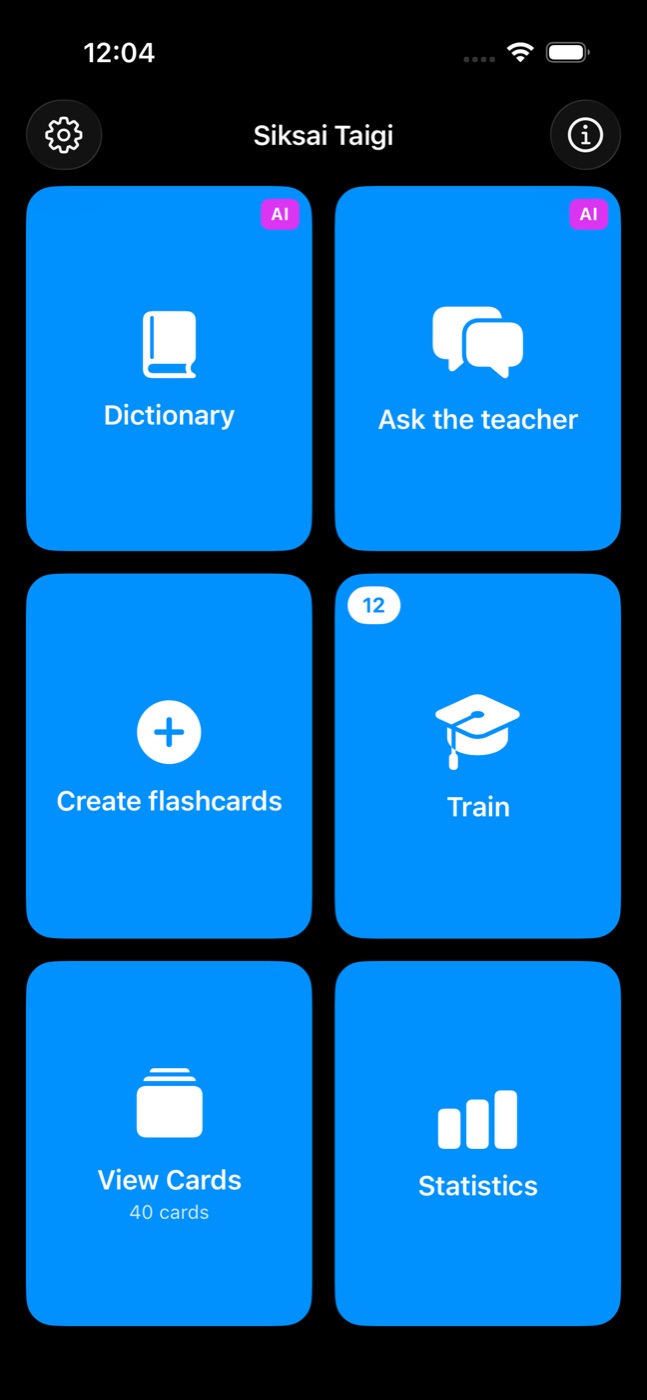
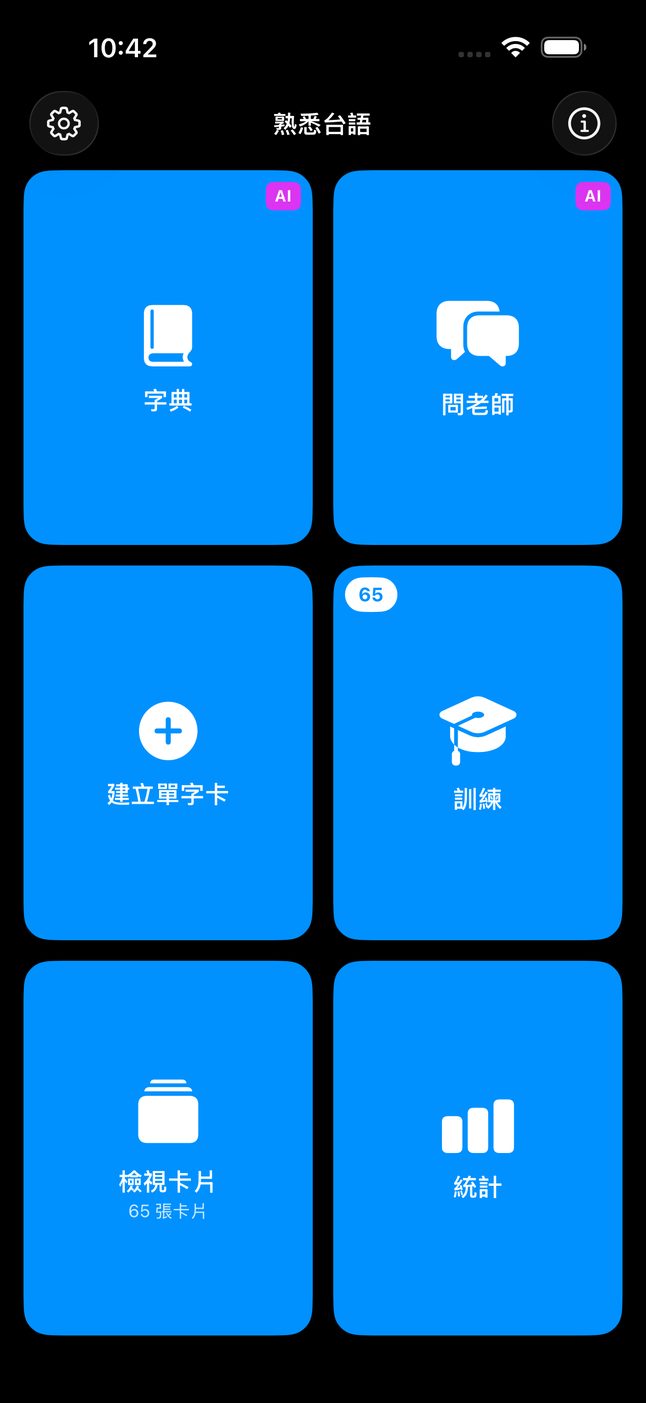
Main menu with six tiles: Dictionary, Ask the teacher, Create flashcards, Train with 12 cards due, View Cards with 40 cards, and Statistics 主選單:字典、問老師、建立單字卡、訓練(65 張到期)、檢視卡片(65 張卡片)、統計
The main menu. The number on Train is how many cards are due today. The purple AI badges mark the optional features that need your own key. 主選單。「訓練」上的數字是今天要複習的卡片數量。紫色的「AI」標籤,代表需要你自己的 AI 金鑰的選用功能。

Chapter two · The build第二章 · 開發過程

From "Anything Flashcards" to one language從「什麼都能學」到只做台語

The app didn't start out as a Taiwanese app. Its first name was Anything Flashcard SRS, a general spaced-repetition tool that supported 97 languages. I built it for myself, and for a while it did everything for everyone.

Then I noticed that every feature I was proudest of was a Taiwanese feature: the recorded audio, the romanization converter, the search that doesn't care about tone marks. Meanwhile, most of the code was busy with branches for languages that were never going to get the same care. So I made a decision that felt scary at the time. I cut it down to one target language, Taiwanese (臺灣台語, Tâi-gí), and made it great at that one job.

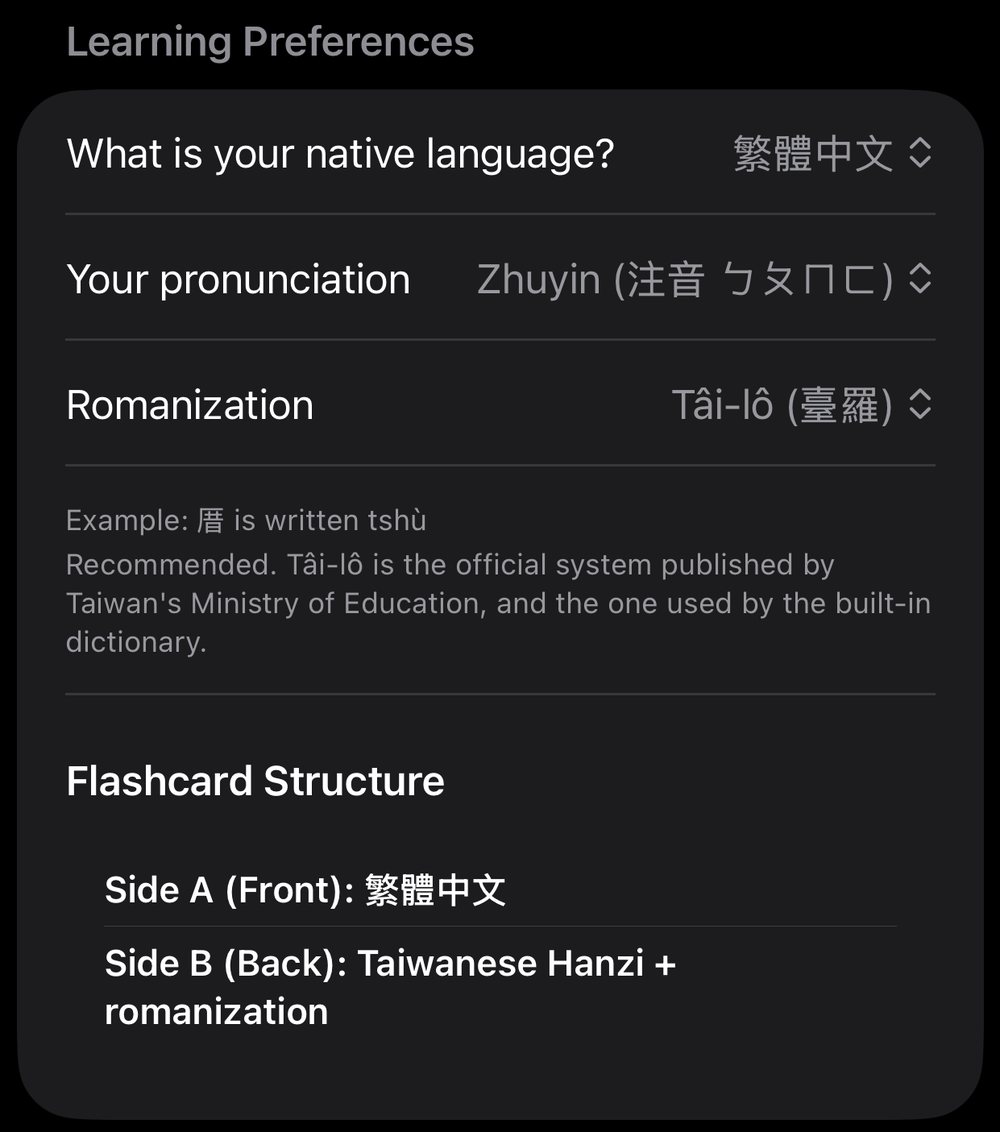
What stayed multilingual is the side that matters to learners: the language you already speak. You can choose from 34, each shown in its own script: 繁體中文, English, 日本語, 한국어, Tiếng Việt, Français, العربية and more. Mandarin speakers can choose whether their own side of the card shows pinyin or 注音 zhuyin. Anyone who picks Traditional Chinese starts with zhuyin, because that's what people grow up with here.

這個 App 一開始並不是台語 App。它原本叫做 Anything Flashcard SRS,是一個支援 97 種語言的通用單字卡工具。我做給自己用,有一段時間,它什麼語言都能學。

後來我發現,我最得意的功能全部都跟台語有關:真人錄音、羅馬字轉換、不用打聲調符號也能搜尋。可是大部分的程式碼,卻在處理其他語言,而那些語言永遠不會得到一樣的用心。所以我做了一個當時覺得很可怕的決定:只留下一種要學的語言,也就是台語(Tâi-gí),然後把這件事做好。

保留多語言的,是對學習者重要的那一邊:你本來就會的語言。你可以從 34 種語言裡選,每一種都用它自己的文字顯示,例如繁體中文、English、日本語、한국어、Tiếng Việt、Français、العربية。會講華語的人,還可以選卡片上要顯示拼音還是注音。選繁體中文的人,預設就是注音,因為台灣人從小學的就是注音。

~10months of nights and weekends個月的晚上和週末
9,000lines of Swift, roughly行左右的 Swift 程式碼
340automated tests, to keep your deck safe個自動測試,保護你的卡片
1developer, working alone個人獨立開發

Much of that time went into things you'll never see. There are tests for the scheduler, for importing old decks, and for what happens when you edit a card in the middle of a training session and then come back. Many nights went into chasing bugs, and into listening to recordings to check that each one matched the right word. A flashcard app holds months of someone's effort. Losing a deck, or scheduling a card wrongly, is the one thing it must never do.

很多時間花在你看不到的地方。例如:測試排程有沒有算對、舊的卡片能不能正確匯入,還有在訓練到一半時去修改一張卡片,回來會不會出錯。也有很多個晚上在抓 bug,一個一個聽錄音,確認每個音檔都對到正確的詞。單字卡 App 裡裝的是一個人好幾個月的努力,弄丟卡片或排錯時間,是它絕對不能犯的錯。

Chapter three · The hardest part第三章 · 最難的部分

Taiwanese has to be heard, not only read台語一定要用聽的,不能只用看的

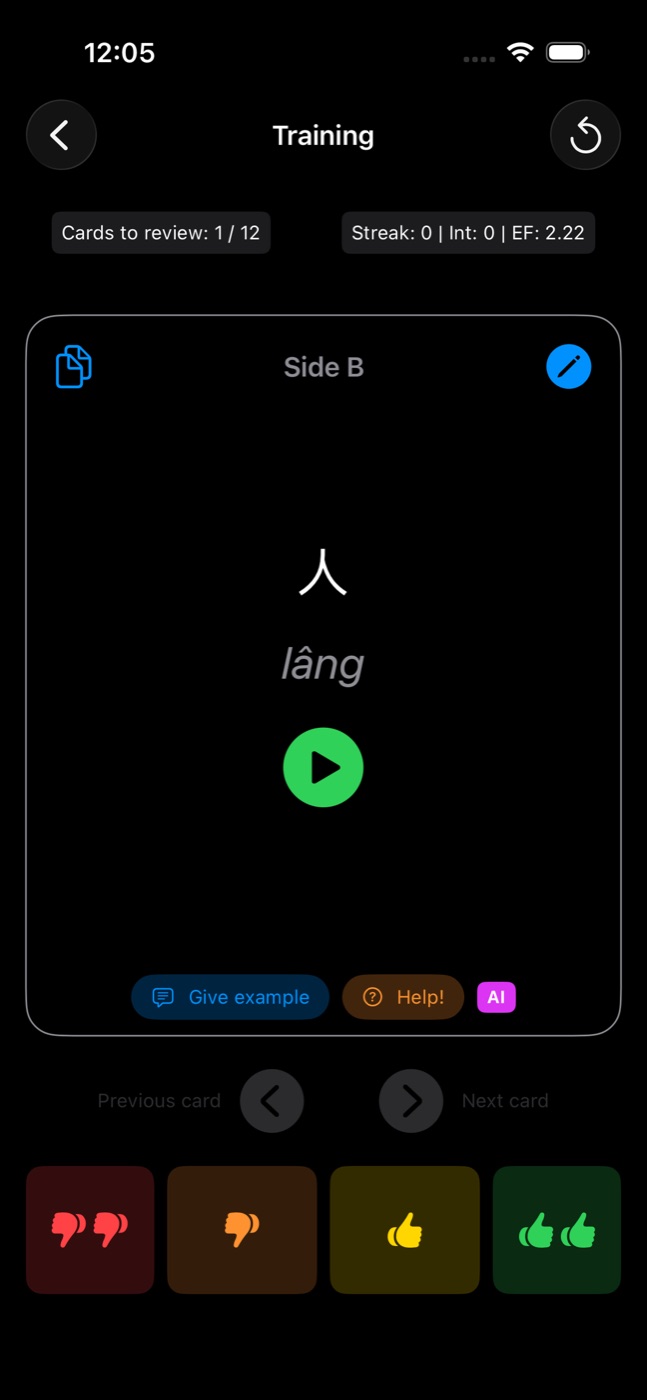
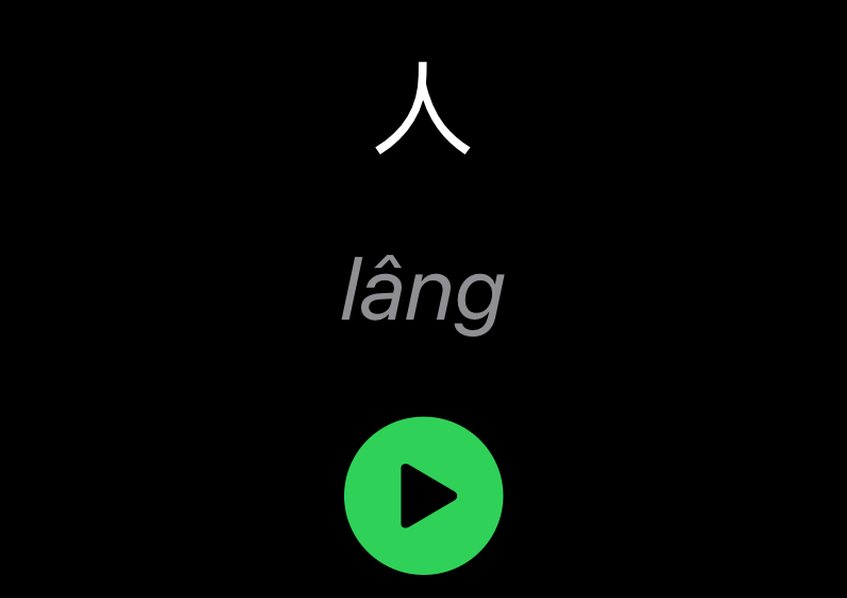
Training screen showing the answer side of a card: 人, lâng, a green play button, and four grading buttons 訓練畫面的卡片背面:看,khuànn,綠色播放鍵,下方四個評分按鈕
A card during training: 人 lâng, "person". The green button plays a real recording from the Ministry of Education dictionary. 訓練時的卡片背面:「看」khuànn。綠色按鈕會播放教育部辭典的真人錄音。

Vocabulary isn't the hardest thing about Taiwanese. The sound is.

There are seven or eight tones, depending on how you count. There are the entering tones, those short syllables that end in -h, -p, -t or -k and stop abruptly. Then there's tone sandhi (變調): when words join together, almost every syllable except the last changes its tone. So the dictionary tone of a word isn't what you hear in a sentence. On top of that, the north and the south speak differently. Viewers often tell me the elders in their town say things differently from the ones in mine.

A flashcard that only shows text can't solve that. Letters and tone marks describe a sound, but you still have to hear it. So I decided every card should come with a real voice.

學台語最難的不是單字,是聲音。

台語有七到八個聲調,看你怎麼算。有入聲,就是結尾是 -h、-p、-t、-k,很短、很快就停住的音。還有變調:詞連在一起的時候,除了最後一個字,幾乎每個字的聲調都會改變。所以字典上寫的聲調,不一定是你在句子裡聽到的。再加上南北腔調不一樣,常常有觀眾跟我說,他們那邊的長輩講法跟我學的不同。

只有文字的單字卡,解決不了這個問題。字母和符號可以描述聲音,但你還是要親耳聽到。所以我決定,每一張卡片都要有真的人聲。

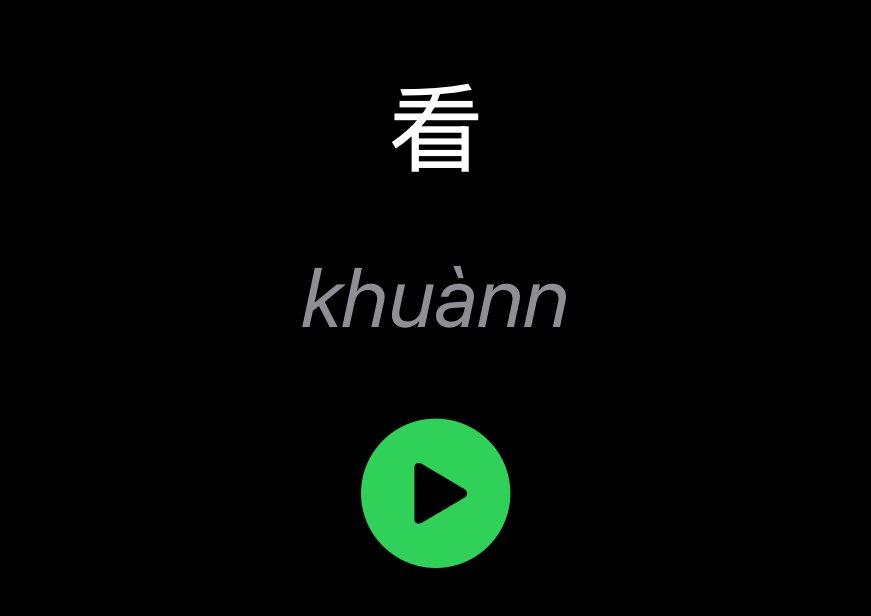
The answer side of a card in the app: 人, lâng, and a green play button App 裡卡片的答案面:看,khuànn,綠色播放鍵
In the app: the Hanzi, its Tâi-lô, and one tap to hear it.App 裡的樣子:漢字、臺羅,按一下就能聽。

A pronunciation database, built in

Taiwan's Ministry of Education publishes the Dictionary of Frequently-Used Taiwan Taigi (教育部臺灣台語常用詞辭典) with recordings by real speakers under an open licence. The ChhoeTaigi project mirrors that data. I bundled the whole audio database into the app: about 21,800 mp3 files, around 260 MB. Some are whole words, and some are single syllables the app can join together for words the dictionary doesn't record as a whole.

Because it's bundled, it works on a plane, in the mountains, or in the MRT tunnel. You don't need to set anything up, find a key or connect to the internet. Tap the play button and you hear a native speaker. The clips were only trimmed at the start and end to cut the silence.

Getting your cards to find the right recording took a lot of work, because people don't write words exactly the way the dictionary does. When you play a card, the app tries five methods, in order, until one works:

  1. The whole word, exactly. The Hanzi and the Tâi-lô together, like 食飯 + tsia̍h-pn̄g. This gives one natural recording, with the tone sandhi spoken the way it really sounds.
  2. Character by character. If the whole word isn't in the dictionary, each Hanzi is matched with its own syllable and the clips are played one after another.
  3. By sound alone. If your Hanzi differ from the dictionary's, which happens a lot because Taiwanese has several accepted ways to write many words, the Tâi-lô spelling alone is used.
  4. Syllable by syllable. The last resort for sound. It even handles neutral-tone endings like --leh and --lah, which the dictionary stores with a double hyphen and which people almost never type.
  5. Tone 5 = tone 9. Tone 9 (ia̋n) is a recent addition used almost only in loanwords. People usually write tone 5 instead, so as a final attempt the app treats them as the same, but only when that can't pick the wrong word.

Punctuation, spaces and mixed hyphens are cleaned up first, so "你好無?" and "tsi̍t gue̍h-ji̍t" find their recordings too. If a card still has no audio, the card list has a small diagnostic that explains in plain words which step failed and why. Usually it's a missing tone mark, or a character count that doesn't match the syllables.

You can also record your own voice on any card, whether it's your teacher saying a phrase, your grandmother's version, or your own attempt to compare against. After a few weeks of hearing the right sound every day, tone sandhi stops being a rule you memorise. Your ear expects it and your mouth follows. For me, this was the key to the progress I made in those first six months.

內建發音資料庫

教育部有一本《臺灣台語常用詞辭典》,裡面有真人錄音,而且用開放授權公開。ChhoeTaigi 計畫整理了這些資料。我把整個音檔資料庫都放進 App 裡:大約 21,800 個 mp3 檔,大約 260 MB。有些是完整的詞,有些是單一音節;字典裡沒有整個詞的錄音時,App 可以把音節接起來播放。

因為錄音已經在 App 裡面,在飛機上、山上、捷運隧道裡都能用。不用設定、不用金鑰,也不用網路。按一下播放鍵,就能聽到母語人士的發音。錄音只有把前後的空白剪掉而已。

要讓你的卡片找到正確的錄音,其實花了很多功夫,因為大家寫詞的方式,常常跟字典不一樣。你按下播放時,App 會照順序試這五種方法,直到找到為止:

  1. 整個詞完全對上。漢字加上臺羅一起比對,例如「食飯」+ tsia̍h-pn̄g。這樣會播放一個自然的完整錄音,連變調都是真的唸法。
  2. 一個字一個字對。如果字典裡沒有這個詞,就把每個漢字和它的音節配對,再把錄音一個接一個播出來。
  3. 只看讀音。台語很多詞有不只一種寫法。如果你的漢字跟字典不一樣,就只用臺羅來找。
  4. 一個音節一個音節找。這是最後的辦法,連 --leh、--lah 這種輕聲字尾都能處理。字典用兩個連字號記這些音,但一般人幾乎不會這樣打。
  5. 第 5 聲 = 第 9 聲。第 9 聲(ia̋n)是比較新的聲調,幾乎只用在外來語,大家通常寫成第 5 聲。所以最後 App 會把兩個當成一樣來找,但只在不會找錯詞的時候。

標點符號、空白和連字號會先整理好,所以「你好無?」或「tsi̍t gue̍h-ji̍t」也找得到錄音。如果卡片還是沒有聲音,卡片列表裡有一個小工具,會用簡單的話告訴你是哪一步沒找到、為什麼。通常是少了聲調符號,或是字數跟音節數對不起來。

你也可以在任何一張卡片錄下自己的聲音:可以是老師唸的句子、阿嬤的講法,或是你自己的練習,拿來比較。每天聽正確的聲音,幾個禮拜後,變調就不再是要死背的規則。你的耳朵會自然習慣,嘴巴也會跟著說出來。這就是我前六個月進步那麼快的關鍵。

Chapter four · Training第四章 · 訓練

Show each card just before you'd forget it在你快要忘記之前,再讓你看一次

Spaced repetition is the reason flashcards work. The trick is to space your reviews out, not to review more.

Every card in Siksai Taigi carries a small amount of memory about you: how many times in a row you've remembered it (its streak), how many days until you see it again (its interval), and how easy it is for you in particular (its ease factor). Each time you answer, those three numbers change, and the card goes back into the queue at the right distance. Cards you know drift further away. Cards you keep missing come back sooner. You only ever review what's due, so ten minutes a day goes a long way.

Four honest answers

When the card flips, you grade yourself with one of four buttons. They are thumbs, because deciding between "Hard" and "Good" at 7am on the MRT is a question nobody should have to answer:

單字卡有效的原因是「間隔重複」。重點不是複習得更多,而是把複習的時間拉開。

Siksai Taigi 的每一張卡片,都會記住一些關於你的事:你連續答對幾次(連續),還要幾天才會再出現(間隔),以及這張卡對你來說有多容易(輕鬆度,EF)。每次作答,這三個數字都會改變,卡片會被排到適當的時間再出現。你熟的卡片,會越來越久才出現;常常答錯的卡片,會更快回來。你只需要複習到期的卡片,所以每天十分鐘就很有用。

四個按鈕,誠實回答

翻開卡片後,用四個按鈕幫自己打分數。用大拇指,是因為早上七點在捷運上,沒有人想去分「困難」和「良好」差在哪裡:

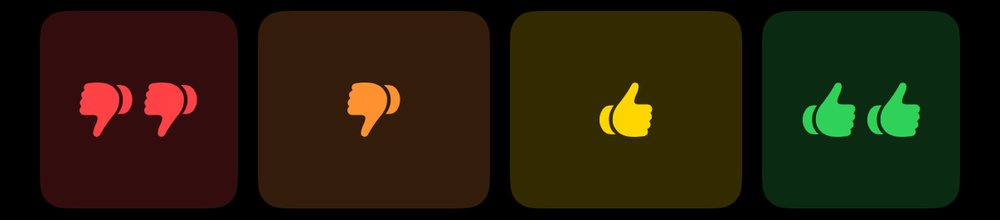
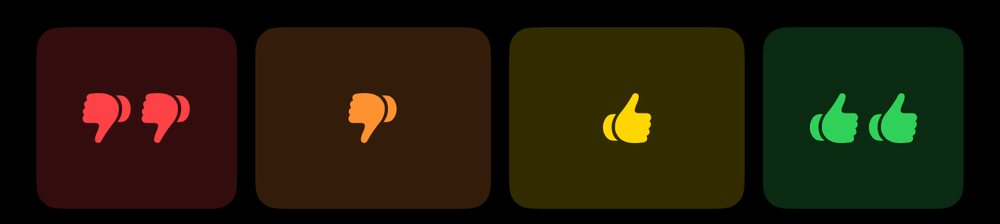
The four grading buttons: two thumbs down, one thumb down, one thumb up, two thumbs up 四個評分按鈕:兩個倒讚、一個倒讚、一個讚、兩個讚
The four grading buttons, straight from the app.App 裡的四個評分按鈕。
  • ✕✕ ForgottenYou had no idea. The card starts over. If it had a streak, its ease drops by 0.2, so it will come back more often in future.
  • ✕ CloseYou almost had it, maybe the right word with the wrong tone. It still counts as a miss, but the ease only drops by 0.1.
  • ✓ BarelyYou got it, with effort. The first time, it comes back tomorrow. After that the interval grows slowly, by 1.2×.
  • ✓✓ RememberedEasy. The first time, it comes back in 4 days. After that the interval is multiplied by the card's own ease factor, so easy cards grow fast.
  • ✕✕ 完全忘記完全想不起來。卡片從頭開始。如果之前有連續答對,輕鬆度會減 0.2,以後會更常出現。
  • ✕ 差一點差一點就對了,也許詞對了但聲調錯。還是算答錯,但輕鬆度只減 0.1。
  • ✓ 勉強記得答對了,但很吃力。第一次會在明天再出現,之後間隔慢慢拉長,每次乘以 1.2。
  • ✓✓ 記得很簡單。第一次會在 4 天後再出現,之後間隔會乘以這張卡自己的輕鬆度,所以簡單的卡會很快拉長。

New cards start with an ease of 2.5. It never falls below 1.3, so a card can never get stuck in your face forever, and intervals stop growing at two years. There's also a small detail I'm proud of. Strict graders who press "Barely" all the time usually fall into what Anki users call ease hell, where the ease keeps shrinking and the card never leaves. In Siksai Taigi, each "Barely" nudges a low ease back up a little, so it slowly recovers.

新卡片的輕鬆度從 2.5 開始,最低不會低於 1.3,所以卡片不會永遠卡在你面前。間隔最長是兩年。還有一個我很得意的小細節:很嚴格、常常按「勉強記得」的人,通常會掉進 Anki 使用者說的「ease hell」,輕鬆度一直下降,卡片一直出現。在 Siksai Taigi,每按一次「勉強記得」,太低的輕鬆度就會往回加一點,慢慢恢復。

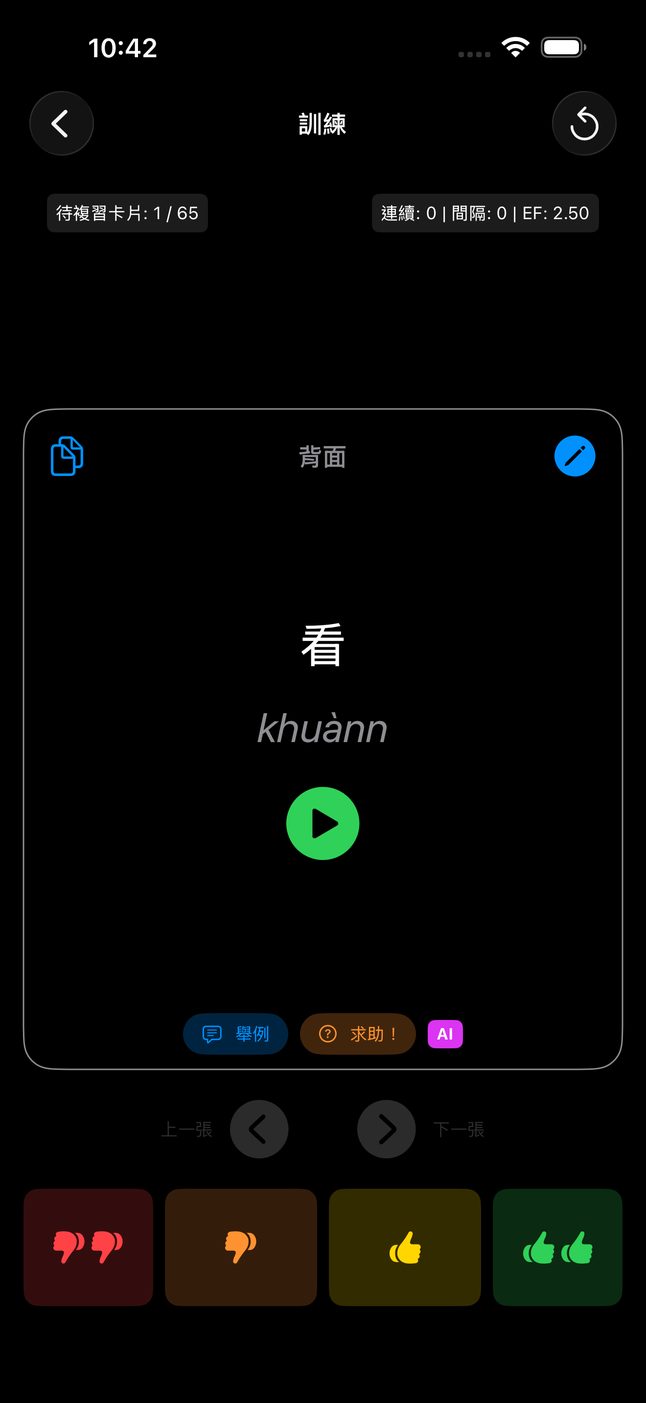
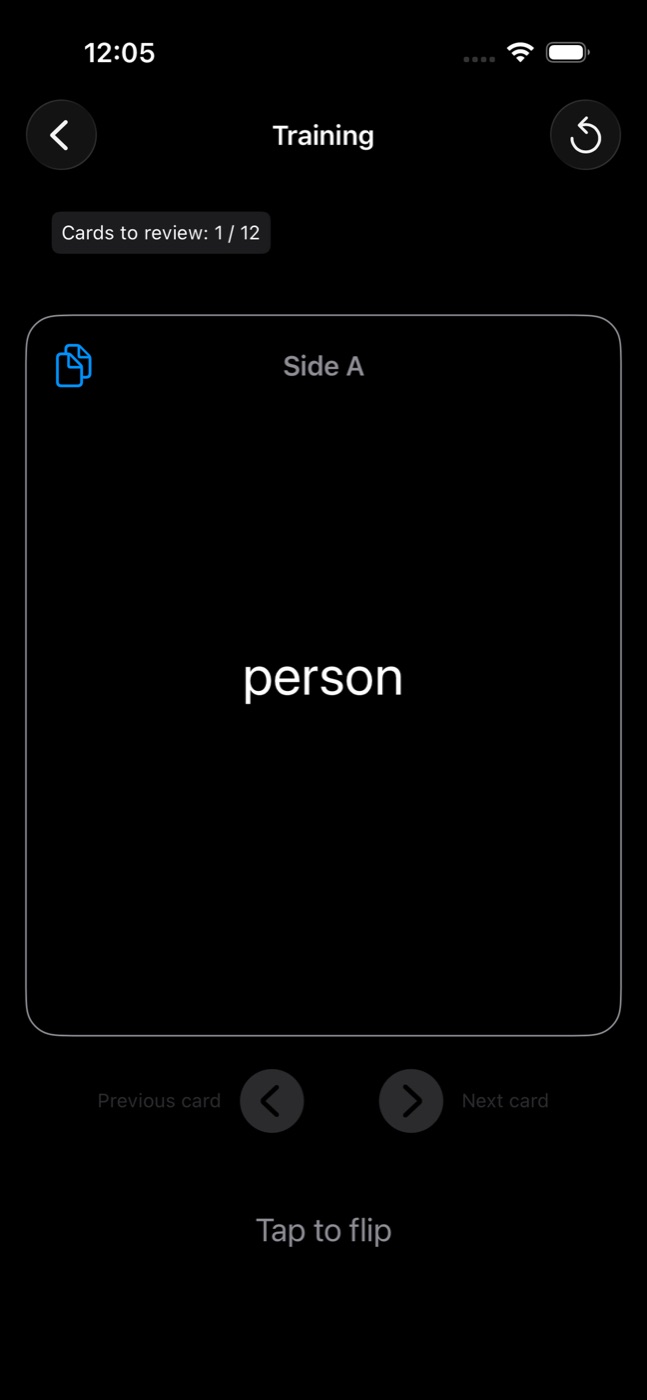
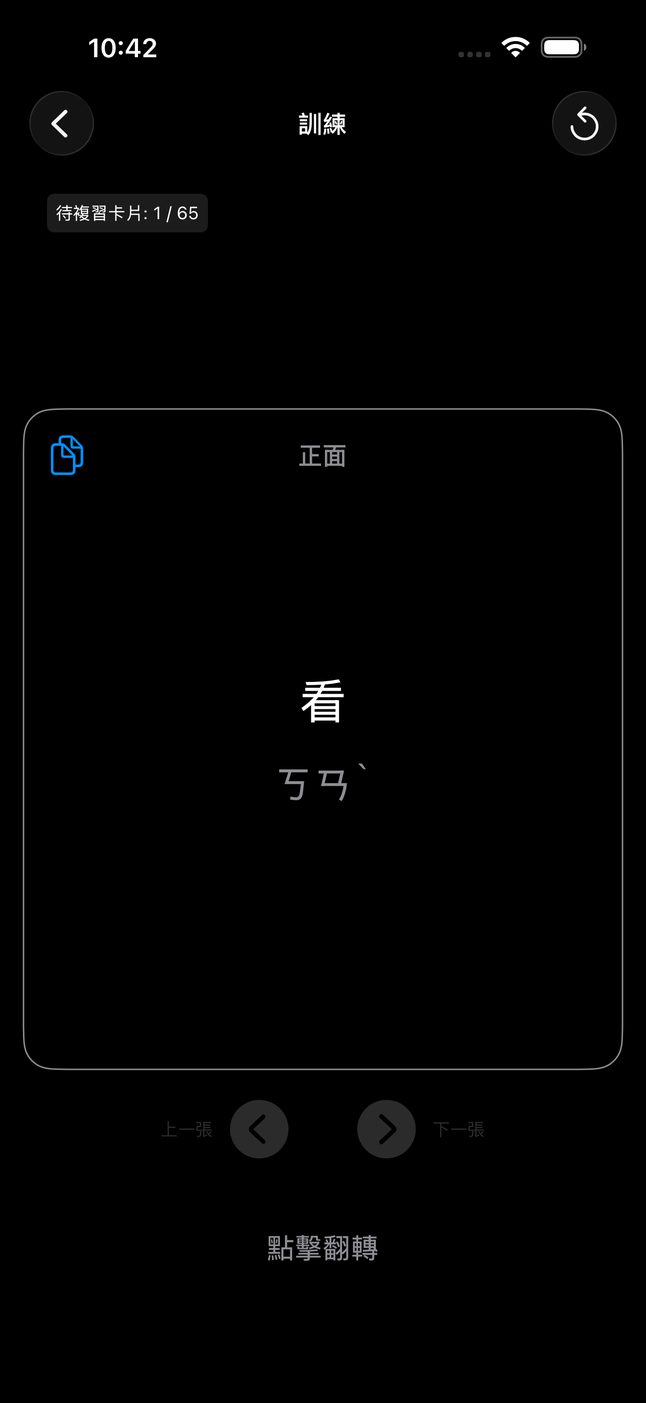
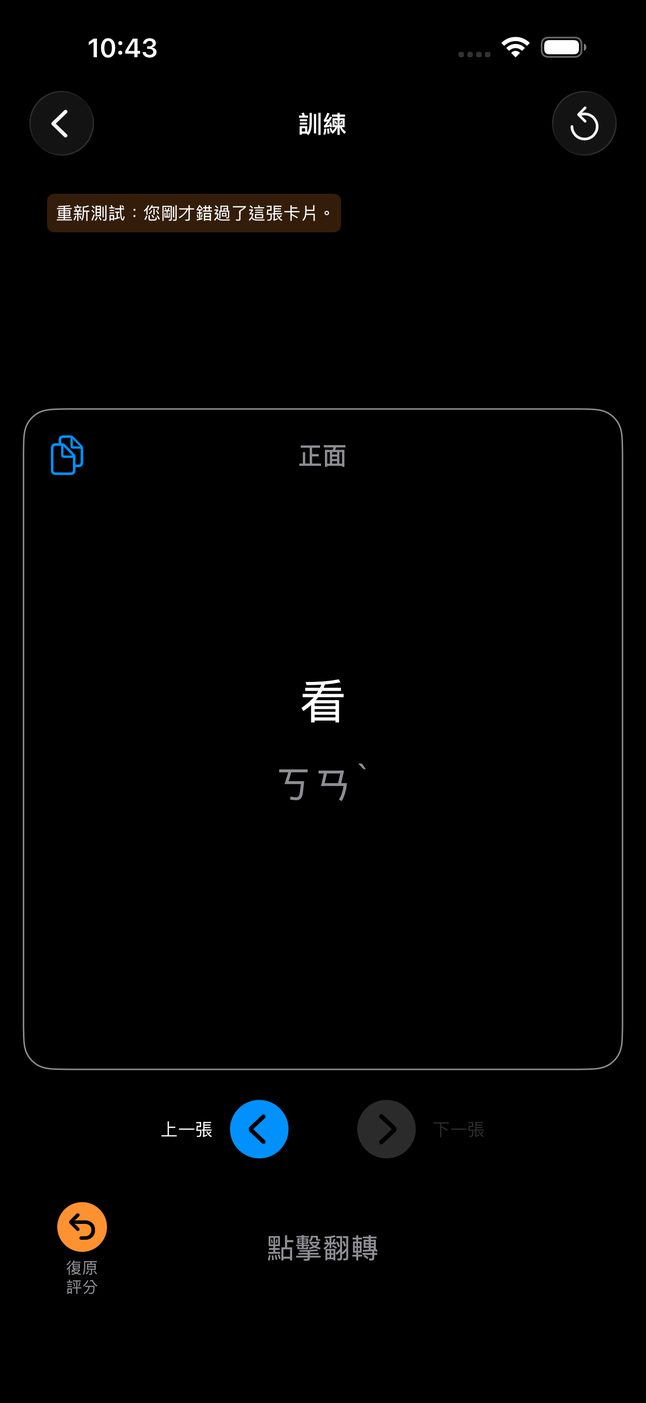
Training screen showing the question side of a card, with the counter Cards to review 1 / 12 訓練畫面的卡片正面:看,注音ㄎㄢˋ,上方顯示待複習卡片 1 / 65
The question side. The top bar shows how many cards are left to review today. 卡片正面:「看」和注音。上方顯示今天還剩幾張卡要複習(1 / 65)。

Try the scheduler試試看排程

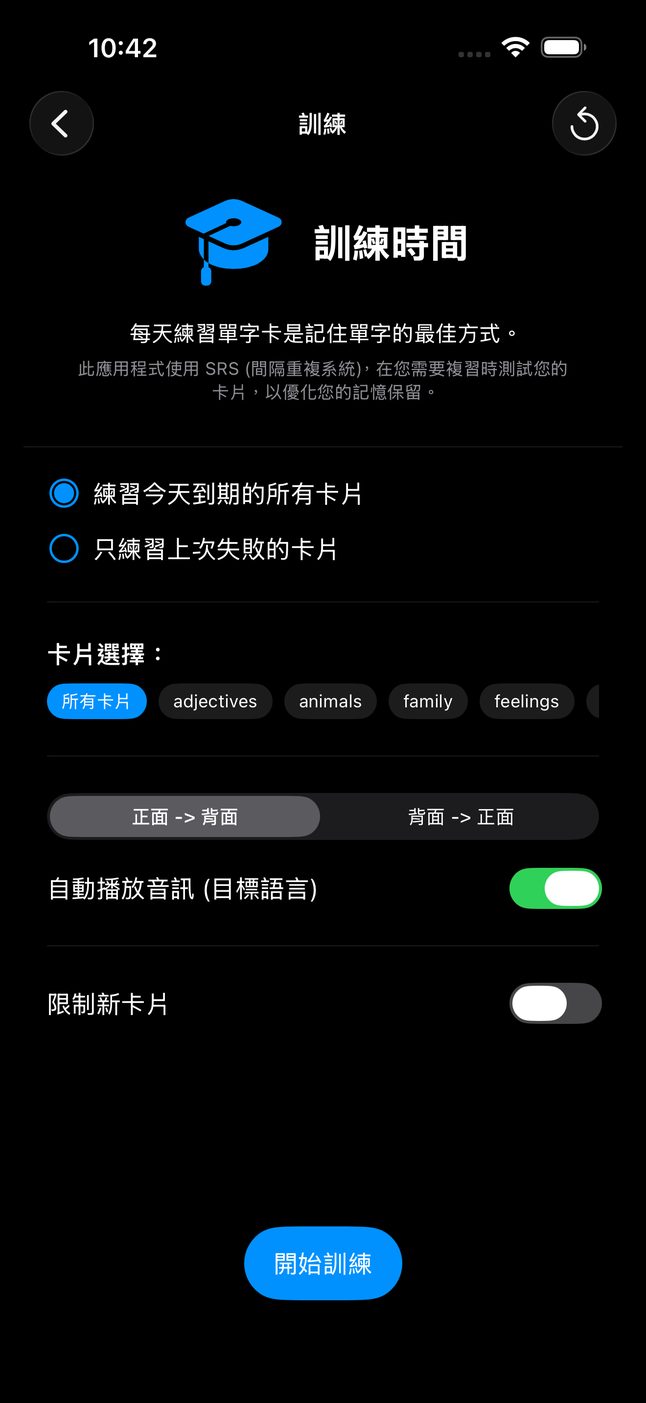
This runs the same rules as the app. Grade an imaginary new card a few times and watch when it would come back.這裡用的是和 App 一樣的規則。幫一張想像的新卡片打幾次分數,看看它什麼時候會再出現。

Streak連續0
Interval間隔0
Ease輕鬆度2.50
Next review下次複習0

The retest drill

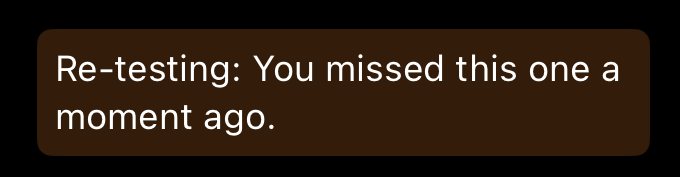
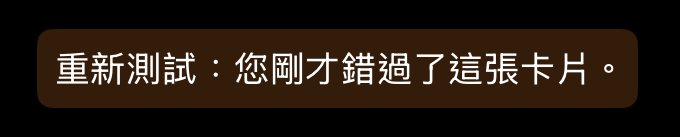
Rescheduling a card you missed isn't enough on its own. You want to fix the mistake while it's still fresh. When you miss a card, a copy of it is slipped back into the session three to six cards later. The copy only offers thumbs down or thumbs up, and it keeps coming back until you get it right. The copy exists only during that session. It never touches the real schedule, which already reset the card when you missed it. A banner tells you why it's back:

重測練習

答錯的卡片,只重新排時間還不夠,你會想趁記憶還新的時候把它改正。答錯時,這張卡的複本會在三到六張卡之後再出現一次。複本只有「倒讚」和「讚」兩個按鈕,會一直出現到你答對為止。這個複本只存在這一輪練習裡,不會影響真正的排程,因為你答錯時,排程已經重新開始了。畫面上方會告訴你它為什麼又出現:

Banner reading: Re-testing: You missed this one a moment ago. 提示文字:重新測試:您剛才錯過了這張卡片。
The retest banner, as it appears above the card.重測時,卡片上方會出現這個提示。

Small things that respect your time貼心的小功能

  • UndoPressed the wrong thumb? Undo takes back the grade, the flip count, and any retest copy that grade created.
  • Resume anywhereLeave in the middle of a session, edit or delete a card in the list, come back, and the session picks up where you were without undoing your edits.
  • Train by tagOnly food words before dinner with your in-laws? Filter the session by tags.
  • Missed cards onlyA separate mode that drills only cards you've seen and then missed.
  • New-card limitCap how many new words enter a session so reviews don't pile up.
  • Both directionsTrain your language → Taiwanese to practise speaking, or Taiwanese → your language to practise listening and reading.
  • Gentle remindersA notification only when cards are actually due and you haven't opened the app for a while. It never nags about an empty queue.
  • 復原評分按錯了嗎?「復原評分」會把這次的分數、翻卡次數,還有因此產生的重測卡片,全部收回。
  • 隨時繼續練習到一半離開,去卡片列表修改或刪除卡片,回來時會從原來的地方繼續,你的修改也不會被蓋掉。
  • 依標籤練習晚上要跟另一半的家人吃飯?只練「食物」標籤的卡片就好。
  • 只練答錯的卡另一種模式,只練習你看過、但答錯的卡片。
  • 限制新卡片設定每一輪最多加入幾個新單字,免得要複習的卡片越堆越多。
  • 兩個方向練「華語 → 台語」可以練說,練「台語 → 華語」可以練聽和讀。
  • 溫和的提醒只有真的有卡片到期,而且你一段時間沒打開 App,才會提醒你。沒有卡片要複習時,不會吵你。

Chapter five · Writing it down第五章 · 怎麼寫

Tâi-lô, POJ, and search that forgives臺羅、白話字,還有很寬容的搜尋

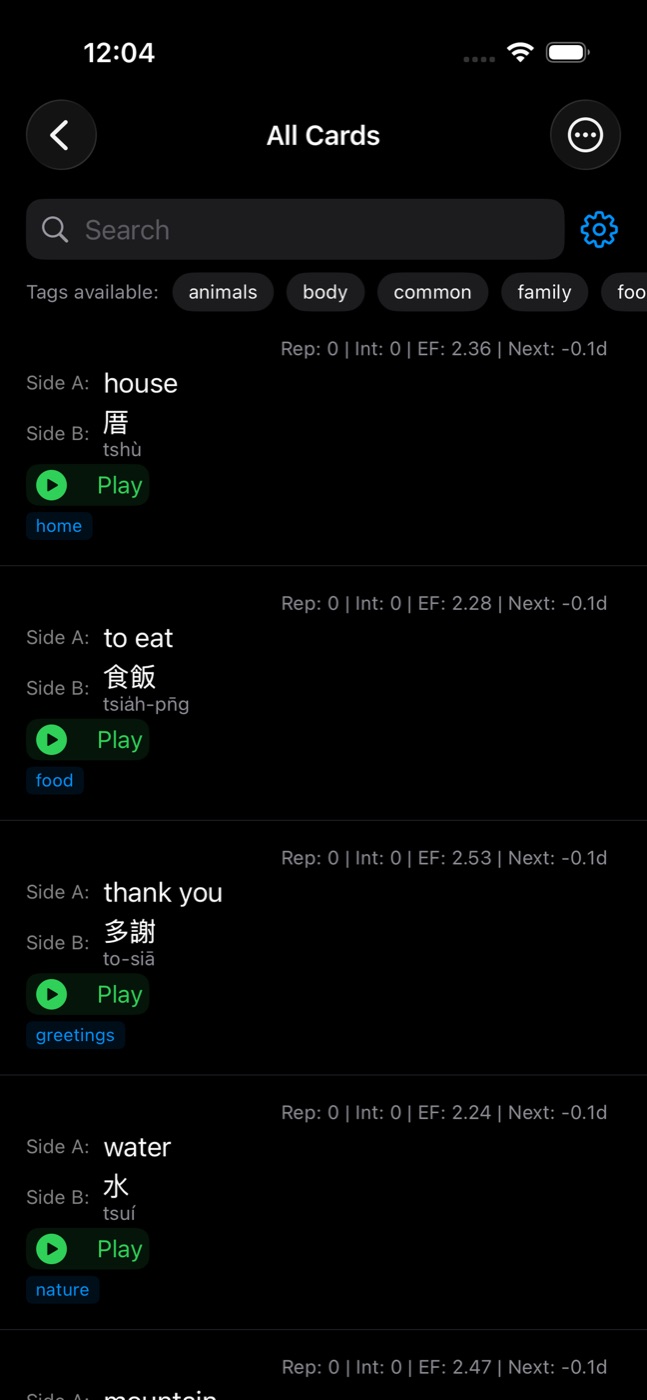
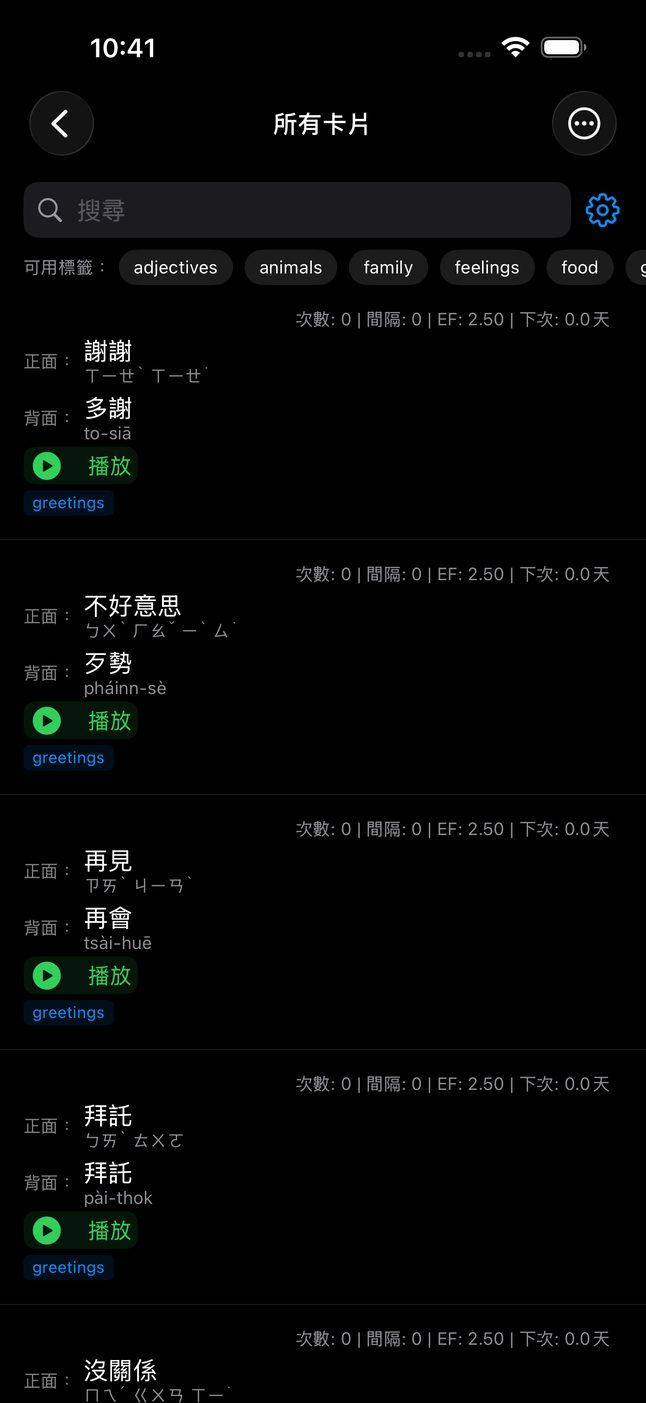
The All Cards list with search and tag filters, showing cards like 厝 tshù house, 食飯 tsia̍h-pn̄g to eat, 多謝 to-siā thank you, and 水 tsuí water 所有卡片列表:謝謝/多謝 to-siā、不好意思/歹勢 pháinn-sè、再見/再會 tsài-huē、拜託 pài-thok,每張都有播放鍵和標籤
Your deck, with Hanzi, Tâi-lô, tags, and a play button on every card that has a recording. 所有卡片:華語加注音、台語漢字加臺羅、標籤,有錄音的卡片都有播放鍵。

Taiwanese is written in Hanzi together with a Latin romanization that shows exactly how to say it. There are two main systems, and people feel strongly about both.

Tâi-lô (臺羅) is the official system from the Ministry of Education, used in schools and in the dictionary the audio comes from. POJ (白話字, Pe̍h-ōe-jī) is older, dating from the 19th century, and many churches, older books and long-time learners still use it. Siksai Taigi recommends Tâi-lô, supports both, and converts in either direction. Choose one when you set up the app, and change it any time in Settings.

台語用漢字來寫,再加上一套羅馬字,標出正確的唸法。主要有兩種系統,兩邊都有很多支持者。

臺羅(Tâi-lô)是教育部公布的官方系統,學校,還有這個 App 錄音來源的辭典,用的都是臺羅。白話字(Pe̍h-ōe-jī,POJ)比較早,19 世紀就開始使用,很多教會、老書和學了很久的人還在用。Siksai Taigi 推薦臺羅,但兩種都支援,也可以互相轉換。第一次設定時選一種,之後隨時可以在「設定」裡改。

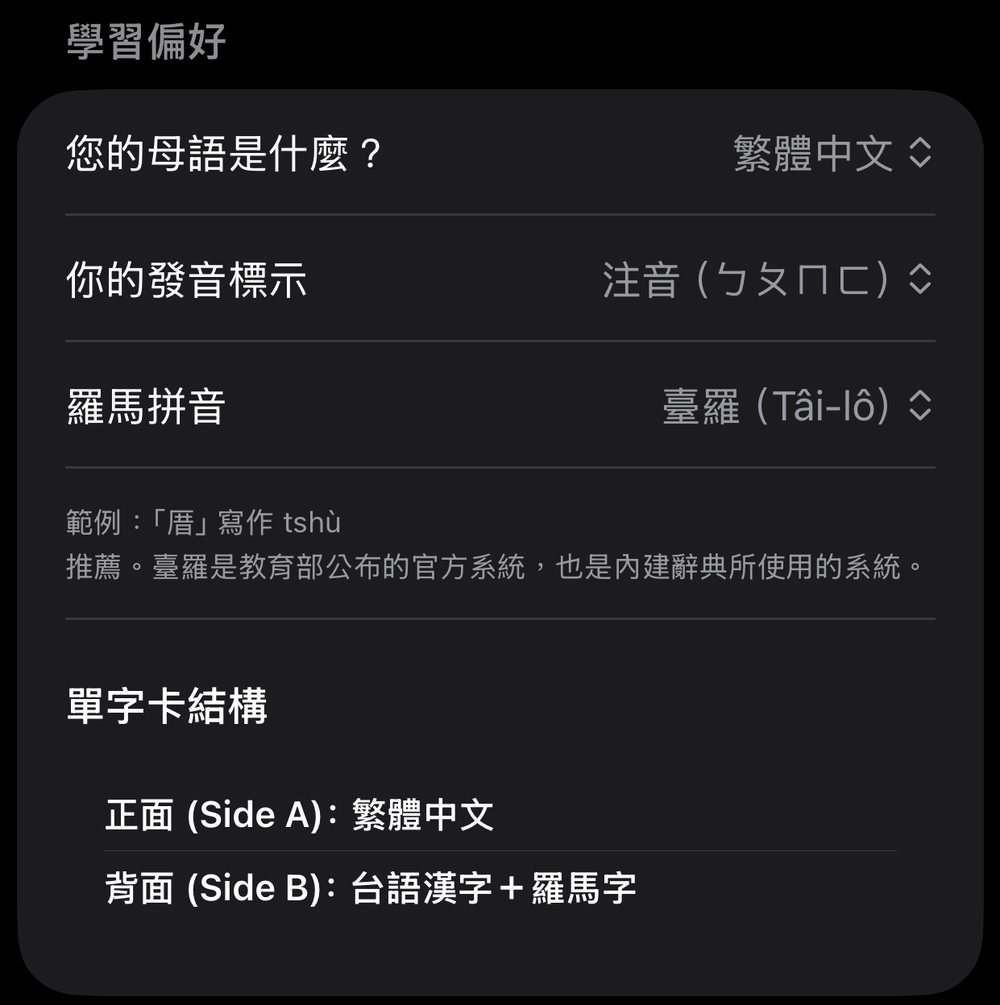
Settings: native language 繁體中文, pronunciation Zhuyin, romanization Tâi-lô, and the flashcard structure 設定:母語 繁體中文、發音標示 注音、羅馬拼音 臺羅,以及單字卡結構
Settings: your native language, how Mandarin pronunciation is shown (zhuyin or pinyin), and the romanization system.「設定」裡可以選母語、華語的發音標示(注音或拼音),還有羅馬字系統。

The conversion knows the details: ts ↔ ch, tsh ↔ chh, the nasal nn ↔ superscript ⁿ, ing/ik ↔ eng/ek, ua/ue ↔ oa/oe with the tone mark moved onto the right vowel, and oo ↔ o͘ with its little dot. Try it:

轉換會處理這些細節:ts ↔ ch、tsh ↔ chh、鼻音 nn ↔ 上標的 ⁿ、ing/ik ↔ eng/ek、ua/ue ↔ oa/oe(聲調符號也會移到正確的母音上),還有 oo ↔ o͘(右上角多一個小點)。試試看:

Tâi-lô → POJ臺羅 → 白話字

The same conversion table as the app, running in your browser.和 App 一樣的轉換表,直接在你的瀏覽器裡執行。

Search that doesn't care how you type

Typing tone marks on a phone is painful, so search ignores them. Type tshu and you find tshù. Type bihun and you find 米粉 bí-hún, because hyphens and spaces are ignored too. A card written in POJ with saⁿ matches the Tâi-lô search sann, and the other way round. You can also search by Hanzi, or by your own language's meaning.

不管你怎麼打,都找得到

用手機打聲調符號很麻煩,所以搜尋會忽略聲調。打 tshu 就能找到 tshù。打 bihun 就能找到「米粉 bí-hún」,因為連字號和空白也會被忽略。用白話字寫的 saⁿ,可以用臺羅的 sann 找到,反過來也可以。你也可以用漢字,或用你自己語言的意思來搜尋。

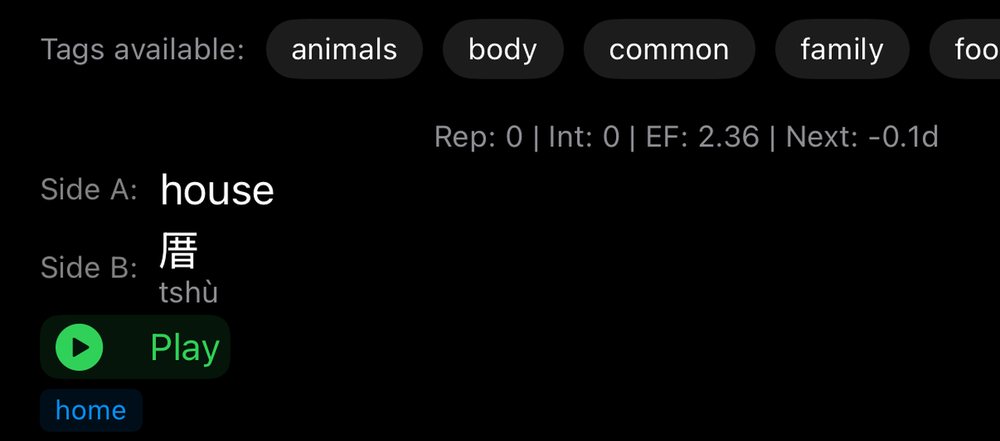
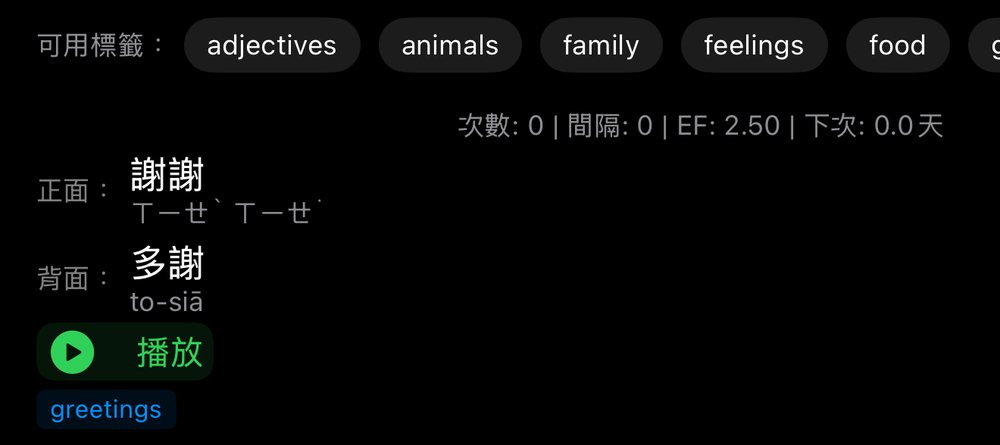
One card in the list: house / 厝 tshù, with a Play button and the tag home 列表中的一張卡:謝謝(注音)/多謝 to-siā,播放鍵和 greetings 標籤
One card in the list: both sides, the reading, a play button and its tag.列表裡的一張卡:正面、背面、讀音、播放鍵和標籤。

Chapter six · Your deck, your data第六章 · 你的卡片,你的資料

You build the deck, and it stays on your phone卡片由你自己做,也只存在你的手機裡

The best deck is the one you make yourself, from the words you actually meet.

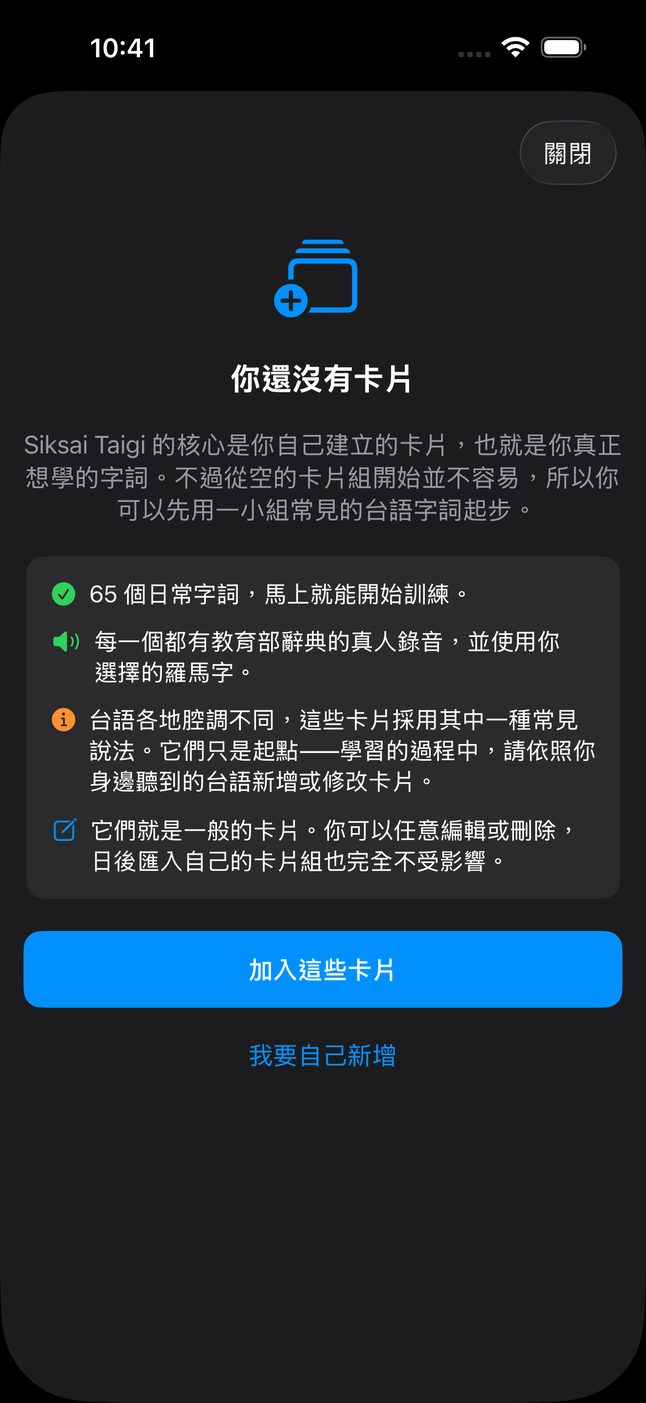
That's why the deck starts empty. Every card you make is a word you chose: something from your teacher, a sign you saw on the street, a thing your mother-in-law said at dinner. Making the card is already the first review. For a quick start, the app can load a small starter deck of 65 everyday words with the first steps you'll need:

最好的單字卡,是用你自己真正遇到的詞做出來的。

所以一開始,卡片是空的。你做的每一張卡,都是你自己選的詞:老師教的、路上看到的招牌、婆婆在飯桌上說的話。做卡片本身,就是第一次複習。如果想快點開始,App 也可以幫你加入一小組 65 個日常詞,都是剛開始最需要的:

多謝
to-siā
thank you謝謝
歹勢
pháinn-sè
sorry, excuse me不好意思
再會
tsài-huē
goodbye再見
食飯
tsia̍h-pn̄g
to eat a meal吃飯
看
khuànn
to look, to see看
厝
tshù
house, home房子、家

For Mandarin speakers, each starter card also has the Mandarin word with pinyin or zhuyin, so you can see at once how 多謝 relates to 謝謝.

Making cards by hand

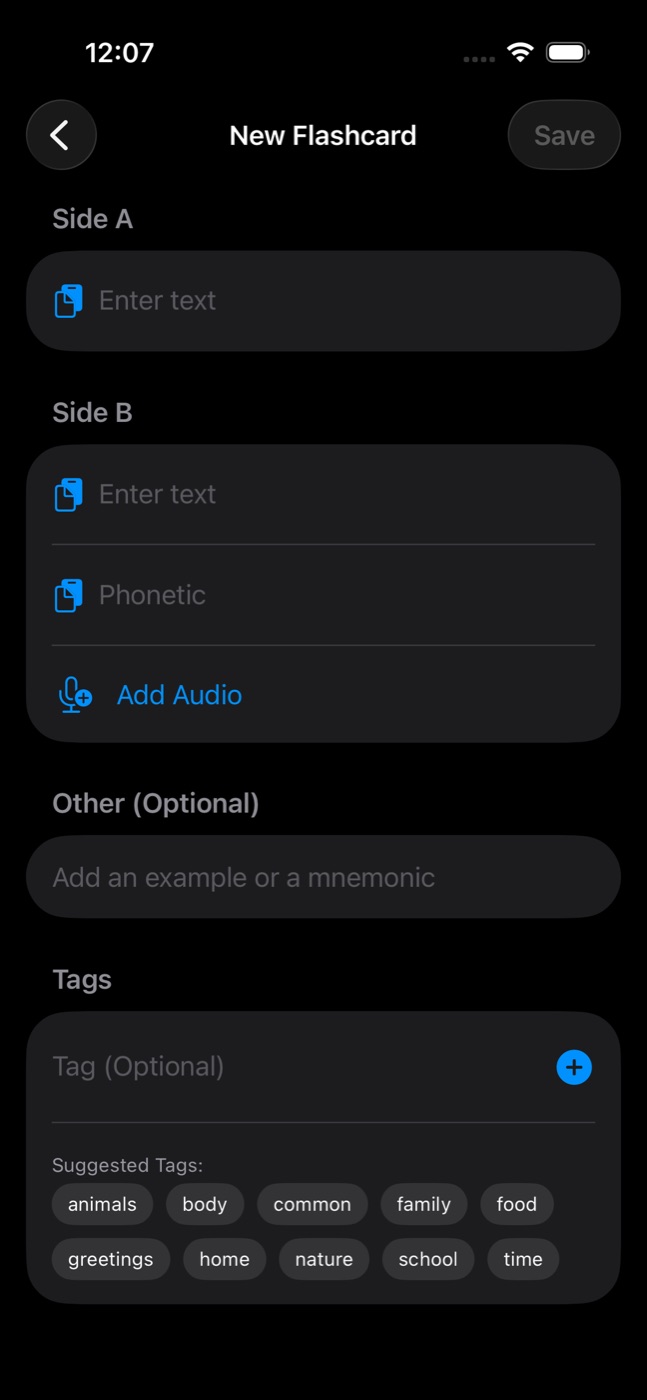
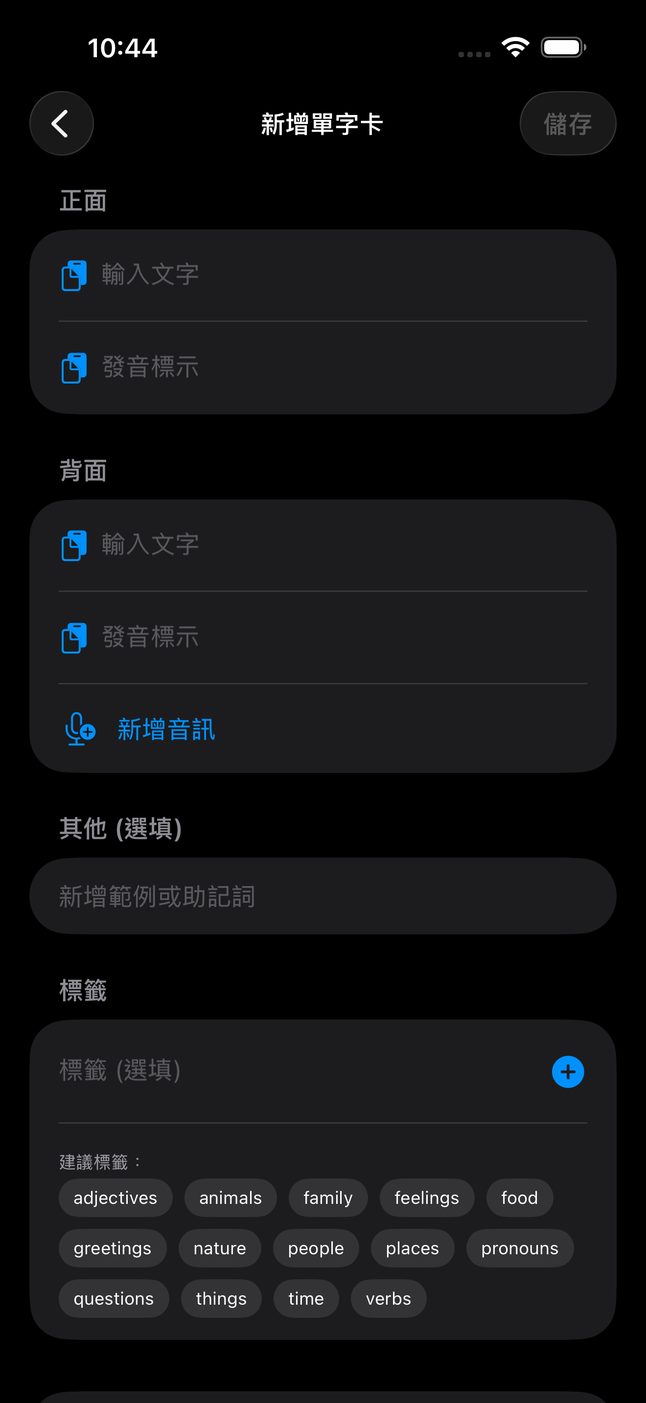
A card has two sides. Side A is your language, Side B is Taiwanese in Hanzi with its Tâi-lô. You can add your own recording, a mnemonic to help it stick, and tags like food, family or market to keep things organised. If the dictionary has a recording that matches your Hanzi and romanization, the card plays it automatically. You don't need to do anything.

Statistics you can read

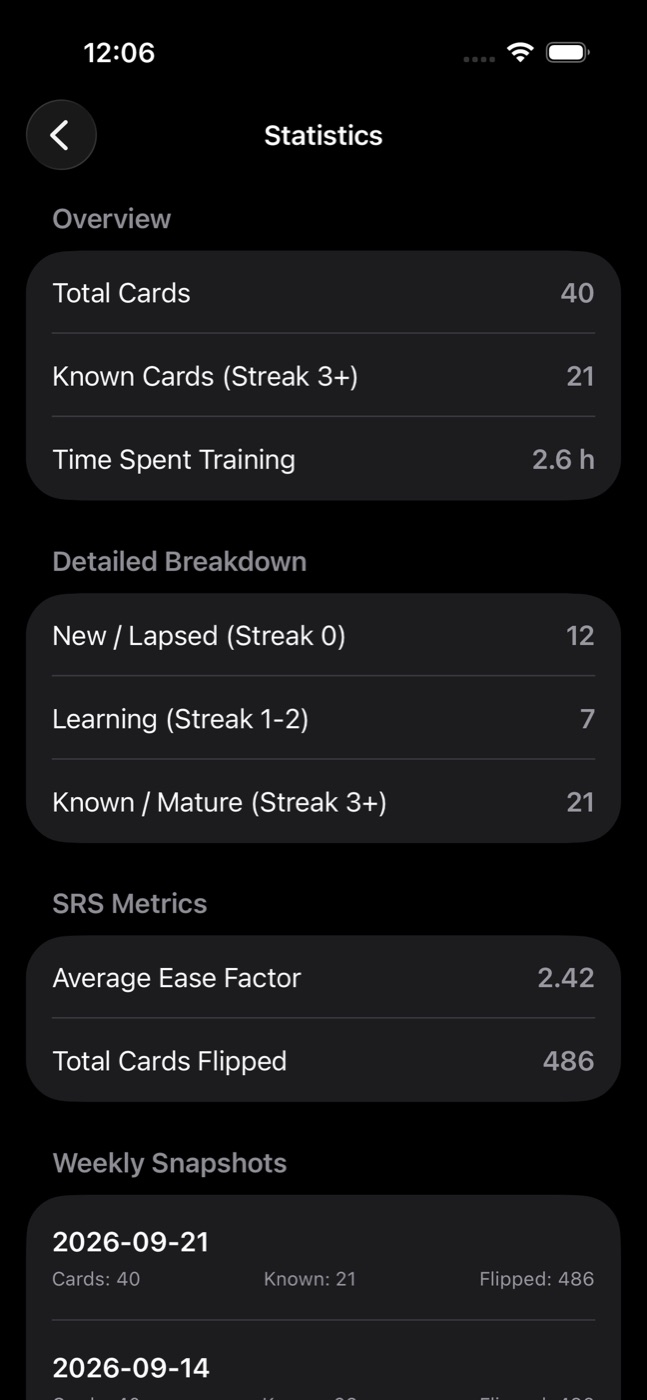
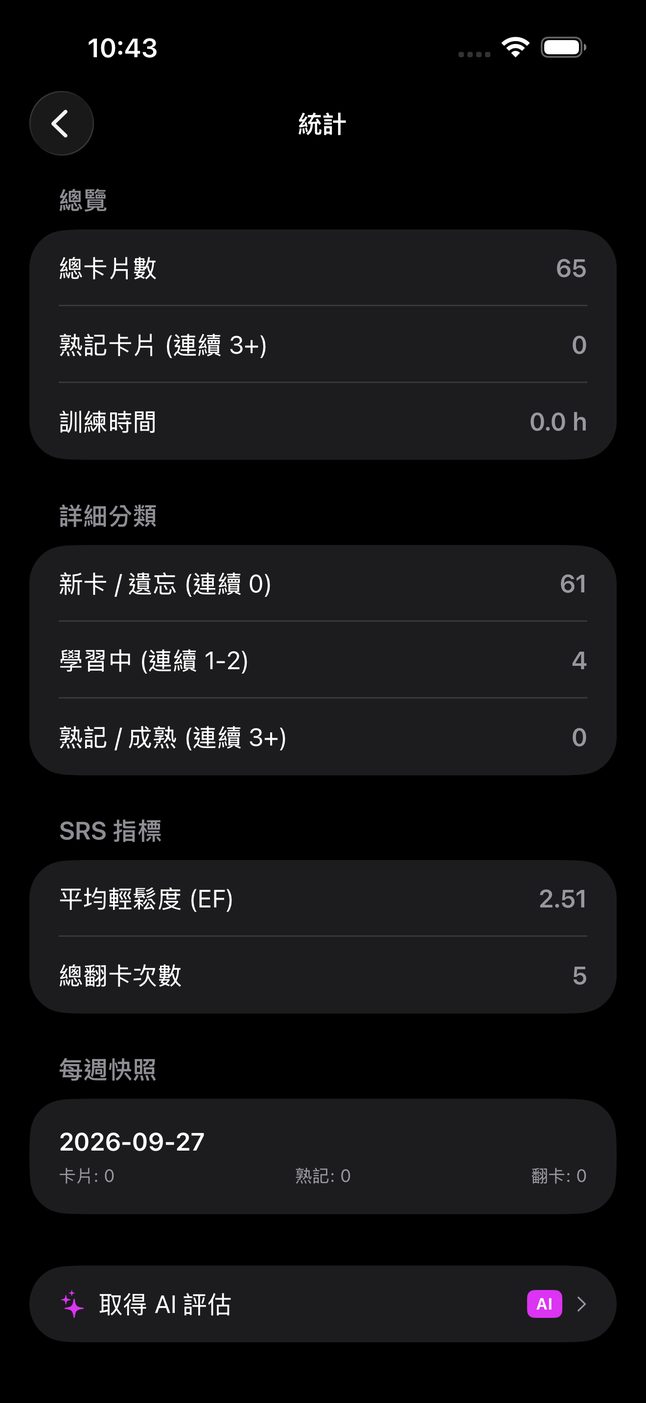
The statistics screen avoids jargon and answers two questions: how many words do I really know, and how much time have I spent? A card counts as known once you've remembered it three times in a row. The screen also shows cards still being learned, new or missed cards, total hours of training, and every card flip you've ever made. Every week the app saves a snapshot so you can look back and see the curve go up. After a slow month, that's surprisingly motivating.

No account. No server. No tracking.

Siksai Taigi has no account to sign up for, no server where your cards live, and no analytics that watch how you use it. Your deck lives on your phone. Full export and import let you save a backup file whenever you want, move to a new phone, or share a deck with a classmate. You can export straight after each weekly snapshot, too. The only time anything leaves your device is when you choose to use an optional AI feature, and the app tells you exactly what will be sent before the first request.

對會講華語的人,每張入門卡片也有華語詞和注音(或拼音),一眼就能看出「多謝」和「謝謝」的關係。

自己做卡片

一張卡片有兩面。正面是你的語言,背面是台語漢字加上臺羅。你可以錄下自己的聲音、寫一個幫助記憶的提示,也可以加上「食物」、「家人」、「市場」這類標籤來整理。如果辭典裡有跟你的漢字和羅馬字相符的錄音,卡片會自動播放,你什麼都不用做。

看得懂的統計

統計畫面不用難懂的術語,只回答兩個問題:我真的會多少個詞?我花了多少時間?連續答對三次的卡片,就算「熟記」。畫面也會顯示還在學的卡片、新的或答錯的卡片、總共練了幾個小時,還有你翻過幾次卡片。App 每個禮拜會存一次快照,讓你回頭看自己進步的曲線。在比較懶的一個月之後,這其實很能激勵人。

不用帳號、沒有伺服器、不追蹤

Siksai Taigi 不需要註冊帳號,沒有伺服器存放你的卡片,也沒有分析工具在看你怎麼用。你的卡片就存在你的手機裡。完整的匯出和匯入功能,讓你隨時備份、換新手機,或把卡片分享給同學。每週快照之後,App 也會問你要不要順便匯出。只有在你選擇使用 AI 功能時,資料才會離開你的手機,而且第一次使用前,App 會清楚告訴你會傳送哪些內容。

Statistics screen: 40 total cards, 21 known, 2.6 hours of training, average ease factor 2.42, 486 cards flipped, and weekly snapshots 「你還沒有卡片」畫面:可以加入 65 個日常字詞,每一個都有教育部辭典的真人錄音,按鈕:加入這些卡片、我要自己新增
Statistics: 21 of 40 cards known, 2.6 hours of training, 486 flips, with a snapshot saved each week. 卡片是空的時候,App 會問你要不要先加入 65 個入門詞。每一個都有教育部辭典的真人錄音。

Chapter seven · Optional extras第七章 · 選用功能

A pocket teacher, if you want one如果你想要,口袋裡的台語老師

The card creation screen, with fields for Side A and Side B, phonetics, audio recording, mnemonic and tags 新增單字卡畫面:正面、背面、發音標示、新增音訊、範例或助記、標籤
Making a card by hand. With an AI key, a button fills in the Tâi-lô from the Hanzi you typed. 新增單字卡:正面、背面、發音標示、錄音、例句或助記,還有標籤。有 AI 金鑰時,可以從你打的漢字自動填上臺羅。

Everything described so far works without AI. The extras below are optional, and they use your own key.

I wanted the core app to cost nothing to run, forever, for everyone. That rules out paying for AI on behalf of thousands of users. Instead, the AI features use an API key that you get yourself, from Google (Gemini) or OpenAI (ChatGPT), and paste into Settings. The key stays in your phone's secure keychain and goes only to the provider you chose. If you never add a key, the AI features are clearly labelled, and tapping one explains what it would do. Nothing breaks.

Free key or paid key?

You can start with a free Gemini key. It needs no credit card and is enough to try everything. But I'll be honest: this is the one place where money can make a difference. A paid key gives you access to stronger models, and for a language like Taiwanese, with little data online, a stronger model gives noticeably better explanations, example sentences and romanization. You pay the provider directly, per use, and for one person studying vocabulary it's usually cheap. I don't earn anything from it.

So my advice is: the app works fully without any key. If you want the AI teacher, try the free key first. If you end up using it every day, a paid key is worth it.

With a key, you get:

前面介紹的所有功能,都不需要 AI。下面這些是選用的,而且用的是你自己的金鑰。

我希望這個 App 的核心功能,永遠對每個人都免費,所以我沒辦法替幾千個使用者付 AI 的費用。AI 功能用的是你自己申請的 API 金鑰,可以向 Google(Gemini)或 OpenAI(ChatGPT)申請,再貼到「設定」裡。金鑰只存在手機的安全鑰匙圈裡,只會傳給你選的那一家公司。如果你從來不加金鑰,AI 功能會清楚標示出來,點下去會說明它能做什麼,其他功能都不受影響。

免費金鑰還是付費金鑰?

你可以先用免費的 Gemini 金鑰,不用信用卡,就能試用所有 AI 功能。不過老實說,這是整個 App 裡唯一一個「花錢會有差」的地方。付費金鑰可以用比較強的模型,而台語在網路上的資料很少,用強一點的模型,解釋、例句和羅馬字都會明顯比較好。費用是直接付給 Google 或 OpenAI,用多少付多少;一個人拿來背單字,通常很便宜。我自己不會從中賺任何錢。

所以我的建議是:不用金鑰,App 也完全可以用。想用 AI 老師的話,先試免費金鑰;如果你每天都在用,付費金鑰很值得。

有了金鑰之後,你可以用:

The Give example and Help! buttons with a purple AI tag 舉例和求助!按鈕,旁邊有紫色 AI 標籤
During training: "Give example" and "Help!". The purple tag means a key is needed.訓練時的「舉例」和「求助!」按鈕。紫色的 AI 標籤代表需要金鑰。
Dictionary AI

Look up any Taiwanese word, phrase or whole sentence, in Hanzi, romanization or your own language, and turn the result into a card with one tap.

Ask the teacher AI

A chat for questions a dictionary can't answer: why is it leh here, how would an elder say this politely, what's the difference between these two words.

Cards from a topic AI

Type "night market", "hospital visit" or "talking to grandma about her childhood" and get a set of cards to review and edit before adding.

Cards from a photo AI

Photograph a menu, a sign or a page from your class notes. The text is read on your phone by Apple's Vision framework, and only that text is sent. The photo itself never leaves the device.

Cards from a voice note AI

Record what you remember from a conversation and turn it into cards.

Give example · Help! AI

During training, ask for an example sentence using the word on screen, or ask a question about the card without leaving the session.

Smart Edit · Phonetics AI

Get clearer wordings for a card you're writing, or fill in the Tâi-lô from the Hanzi you typed.

AI Evaluation AI

Let it read your review history and comment on how your learning is going, and where you keep slipping.

字典 AI

查任何台語詞、片語或整句話,可以用漢字、羅馬字或你自己的語言查,按一下就變成卡片。

問老師 AI

問字典回答不了的問題:這裡為什麼用 leh?長輩會怎麼有禮貌地說這句?這兩個詞差在哪裡?

用主題做卡片 AI

輸入「夜市」、「去醫院」、「跟阿嬤聊她小時候」,就會產生一組卡片,加入前可以先檢查、修改。

用照片做卡片 AI

拍菜單、招牌或上課筆記。文字是在手機上用 Apple 的 Vision 辨識,只有文字會傳出去,照片本身不會離開手機。

用語音做卡片 AI

把你記得的對話錄下來,變成卡片。

舉例 · 求助 AI

訓練時,可以請它用畫面上的詞造一個例句,或直接問關於這張卡的問題,不用離開練習。

智慧編輯 · 產生讀音 AI

幫你把卡片寫得更清楚,或從你打的漢字自動填上臺羅。

AI 評估 AI

讓它看你的複習紀錄,告訴你學得怎麼樣,常常在哪裡出錯。

Explanations come back in the language you chose, so a Japanese speaker gets answers in Japanese and a Mandarin speaker in Traditional Chinese. AI can be wrong about a language with this little data online, so I treat its answers as a helpful classmate, not the final word. The recordings and the dictionary data in the app come from the Ministry of Education, not from a model.

解釋會用你選的語言回答,所以講日文的人會收到日文,講華語的人會收到繁體中文。網路上的台語資料比較少,AI 有時會出錯,所以我把它的回答當成一個熱心的同學,而不是標準答案。App 裡的錄音和辭典資料都來自教育部,不是 AI 產生的。

Chapter eight · What's next第八章 · 接下來

iPhone today, and Android if you ask for it今天先有 iPhone 版,Android 等你來敲碗

Siksai Taigi is on the App Store now, for iPhone. I build it alone, so I had to start with one platform. If you or your family use Android and want it there, tell me: leave a comment under the video on my channel. If enough people ask, the Android version is next.

I also want to hear what's missing and what's confusing. Tell me if a word plays the wrong recording, or if you'd like a starter deck for a particular topic. You can leave a comment on YouTube or email me at francoyy@gmail.com. Much of what's in the app today came from people telling me what they needed.

I don't believe anyone is too old, too far away or too "bad at languages" to learn Taiwanese. I started with nothing, as a foreigner, and a few months of classes plus a few minutes of cards a day got me talking with grandparents at the market. Now it's your turn.

Siksai Taigi 現在已經可以在 App Store 下載 iPhone 版。我是一個人開發,所以只能先做一個平台。如果你或家人用 Android 也想用,請告訴我:到我頻道的影片下面留言。如果很多人想要,下一個就做 Android 版。

我也很想知道哪裡不夠好、哪裡看不懂。如果某個詞播錯了錄音,或你希望有某個主題的入門卡片,都可以跟我說:在 YouTube 留言,或寫信到 francoyy@gmail.com。App 裡很多功能,都是大家告訴我需要什麼之後才做出來的。

我不相信有人會因為年紀太大、住得太遠,或「太不會學語言」而學不會台語。我一開始什麼都不會,還是個外國人。靠著幾個月的課,加上每天幾分鐘的單字卡,我現在可以在市場跟阿公阿嬤聊天。現在輪到你了。

你學台語,上想欲學的第一句話是啥物?

Lí o̍h Tâi-gí, siōng siūnn-beh o̍h ê tē-it kù uē sī siánn-mih?

What's the first sentence you want to learn in Taiwanese?學台語,你最想學的第一句話是什麼?

Download Siksai Taigi, make that sentence your first card, and tell me what it was in the comments on YouTube.下載 Siksai Taigi,把那一句做成你的第一張卡片,然後到 YouTube 留言告訴我是哪一句。